Environment Preparation
In this section, we will prepare the necessary administrative tools and initialize the automated infrastructure on AWS using Terraform to support the Log Management project.
1. Administrative Tools Preparation
Before starting, ensure that your personal computer has the following tools installed and configured:
- AWS CLI: Configured with an Access Key/Secret Key pair that has AdministratorAccess permissions.
- Terraform: Version 1.0 or higher to execute the infrastructure source code.
2. Infrastructure Initialization with Terraform
The core network and storage infrastructure will be deployed automatically to ensure consistency.
- Navigate to the directory containing the Workshop infrastructure source code.
- Run the following commands to initialize the environment:
# Initialize the Terraform environment
terraform init

# Review the resources expected to be created
terraform plan

# Execute the infrastructure deployment to AWS
terraform apply -auto-approve
The infrastructure initialization process may take a few minutes for AWS to fully set up all Networking resources.
3. Infrastructure Resource Verification
Once Terraform indicates Apply complete, we need to access the AWS Management Console to verify that the foundational resources have been successfully initialized.
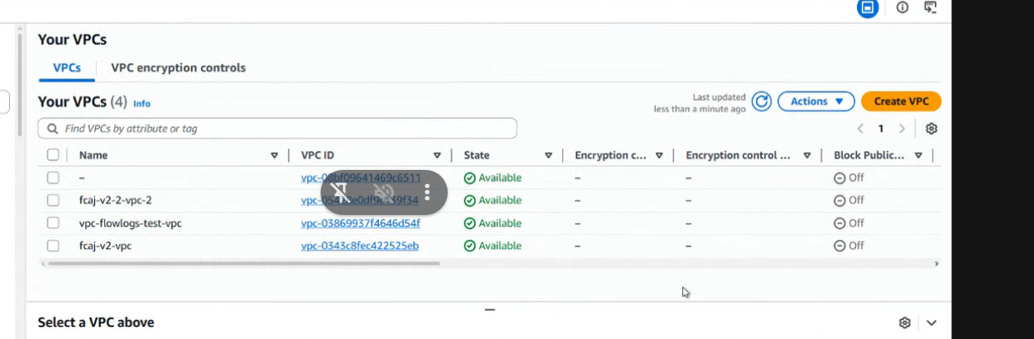
3.1. Virtual Private Cloud (VPC)
Verify that the following VPCs have been created:
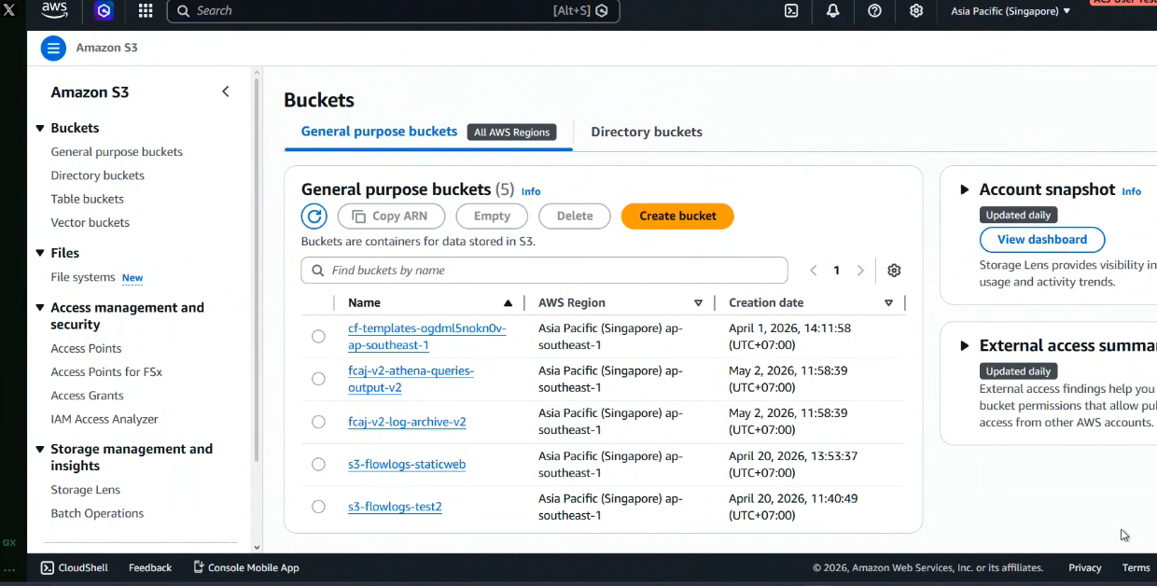
3.2. Storage System (Amazon S3)
Processed log data will be stored in S3. Please ensure the following buckets exist:
3.3. Data Catalog (AWS Glue)
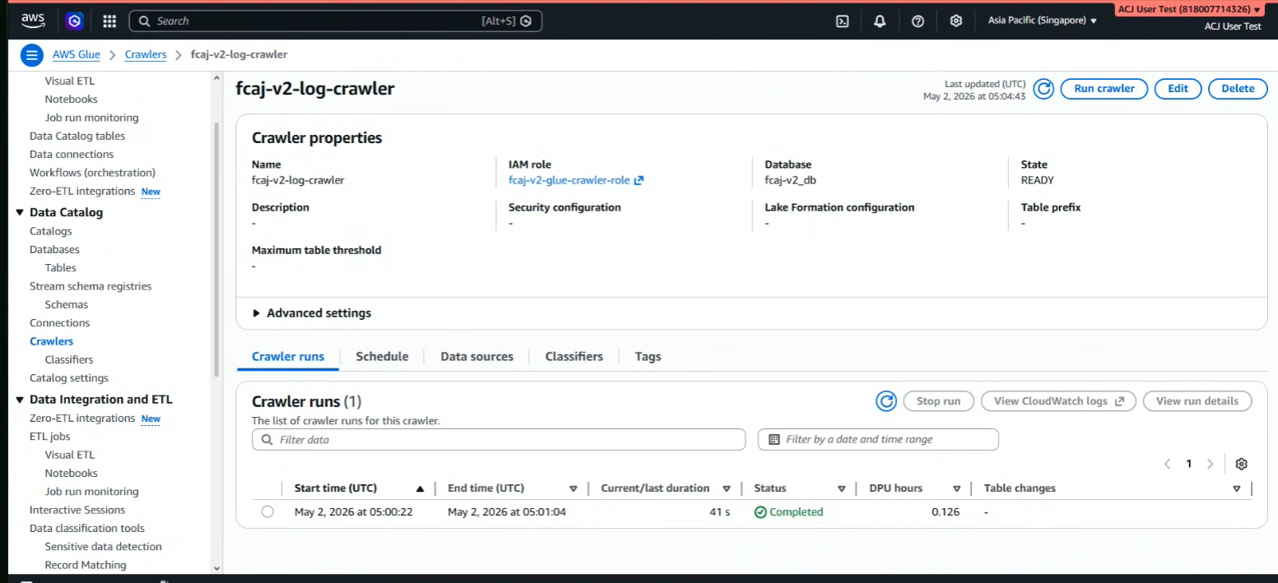
To enable Athena to read the log structure in S3, a Crawler has been pre-configured:
- Crawler Name:
fcaj-v2-log-crawler. - State: Must be in the READY state.
Congratulations! You have successfully set up the foundational infrastructure. In the next step, we will configure the SNS notification service.